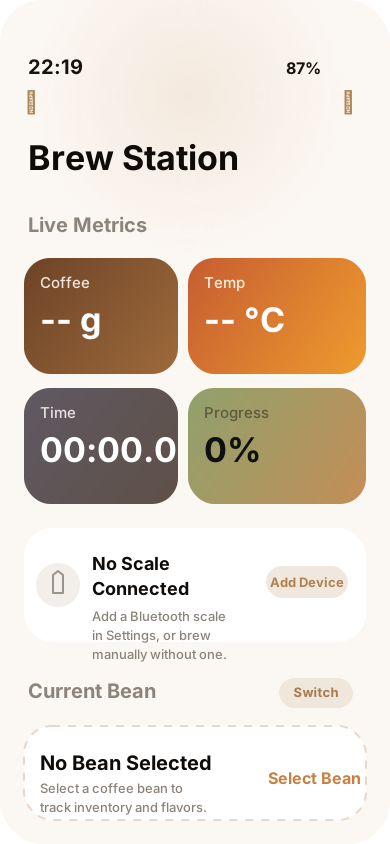
01 Home
Today, beans, experiment, trends
- Today card
- Beans section
- Active experiment
iOS coffee brewing log
BrewTinker brings guided brewing, bean tracking, A/B experiments, exports, widgets, local reminders, and optional cloud sync into one iOS app.
Real app surfaces
Four core tabs plus widgets cover the main workflow.
Workflow map
The app already has stronger screenshot treatment lower on the page. Here, the useful thing is to show how responsibility is split across the four real tabs and where widgets fit around them.
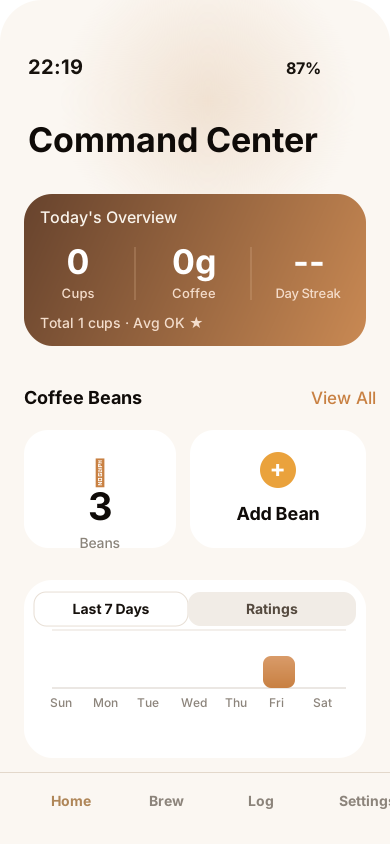
01 · Home
Real tabStart from today stats, bean inventory, active experiment, insights, and tasks.
02 · Brewing
Real tabMove into quick brew, guided brewing, device status, or recipe flows.
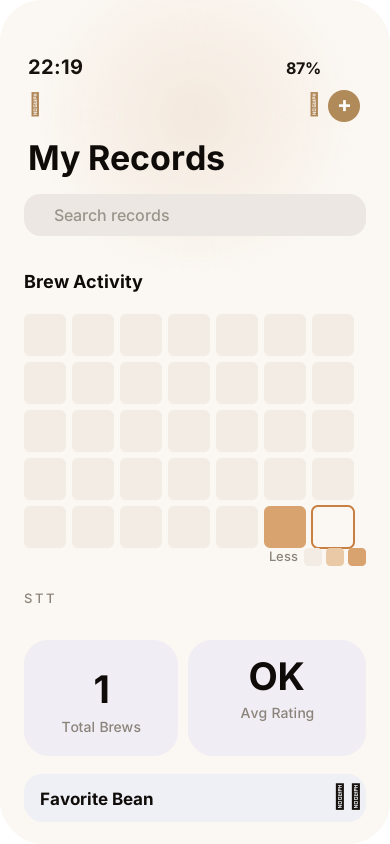
03 · Logs
Real tabReview past brews with search, filters, heatmap, stats, and export.
This keeps the landing page honest to the real app architecture instead of inventing a second visual product that does not exist.
Why it stays useful
BrewTinker stays useful after the first setup: capture the brew, compare the result, and carry the learning forward.
Real product scope
This section now uses moving proof cards so the page keeps presenting concrete evidence of product scope instead of repeating the same headline.
Home
The app keeps today stats, beans, and unfinished work visible instead of hiding them behind a menu.
Brewing
You can move between direct execution and stage-by-stage guidance without changing products.
Experiments
Experiments are resumable and belong next to everyday brewing, not in a hidden lab feature.
Logs
A record only matters if you can retrieve, compare, and export it later.
Devices
Acaia, Timemore, and Inkbird support are part of the product scope, not implied marketing copy.
Sync
The product still works locally, while sign-in and sync stay available when needed.
Home
The app keeps today stats, beans, and unfinished work visible instead of hiding them behind a menu.
Brewing
You can move between direct execution and stage-by-stage guidance without changing products.
Experiments
Experiments are resumable and belong next to everyday brewing, not in a hidden lab feature.
Logs
A record only matters if you can retrieve, compare, and export it later.
Devices
Acaia, Timemore, and Inkbird support are part of the product scope, not implied marketing copy.
Sync
The product still works locally, while sign-in and sync stay available when needed.
FAQ
This public site only describes capabilities that are verified in the app and supporting documentation.
BrewTinker works as a fully local app by default. Signing in and enabling sync is optional.
The current supported device families are Acaia scales, Timemore scales, and Inkbird thermometers. Actual compatibility can still vary by model, firmware, and iOS environment.
When sync is enabled, brew records, beans, recipes, and equipment sync through Firebase Firestore. Bean images can also be uploaded to Cloudflare R2 through a secure proxy.
Analytics is opt-in and off by default. Crash reporting is on by default but can be disabled at any time in Settings → Privacy.
You can export individual brews as text, PDF, image, or JSON, and batch export brew history as CSV, JSON, or text.
BrewTinker currently supports English, Simplified Chinese, and German.
Ready to brew
Track recipes, compare cups, and keep every adjustment connected to what you actually tasted.
Decision point
This site is only the landing layer. The product itself is the iPhone app, so the final area now focuses on getting you there.
Decision point
You can read the privacy policy immediately, and cloud sync remains optional rather than required.
Decision point
Download, run a real session, and decide from actual workflow fit instead of more marketing copy.